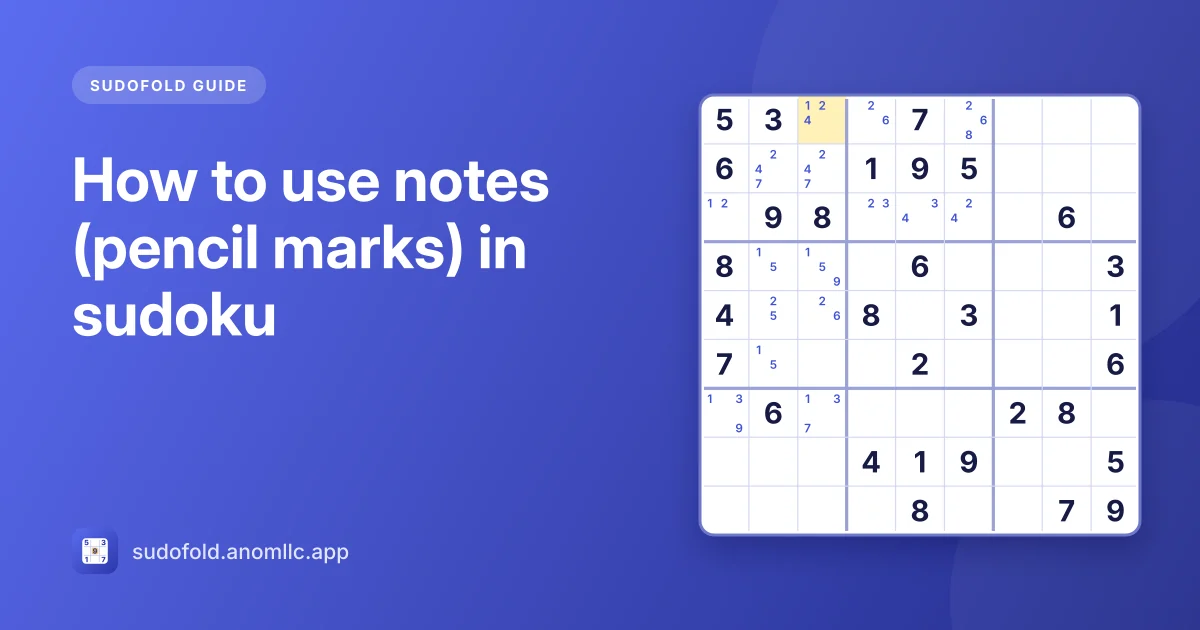
Notes, or pencil marks, are the small digits you write in an empty sudoku cell to show which numbers it could still be. Use them once scanning for singles stops working: write every possible candidate in every empty cell, keep them up to date as you place digits, and look for patterns such as pairs that let you cross candidates off.
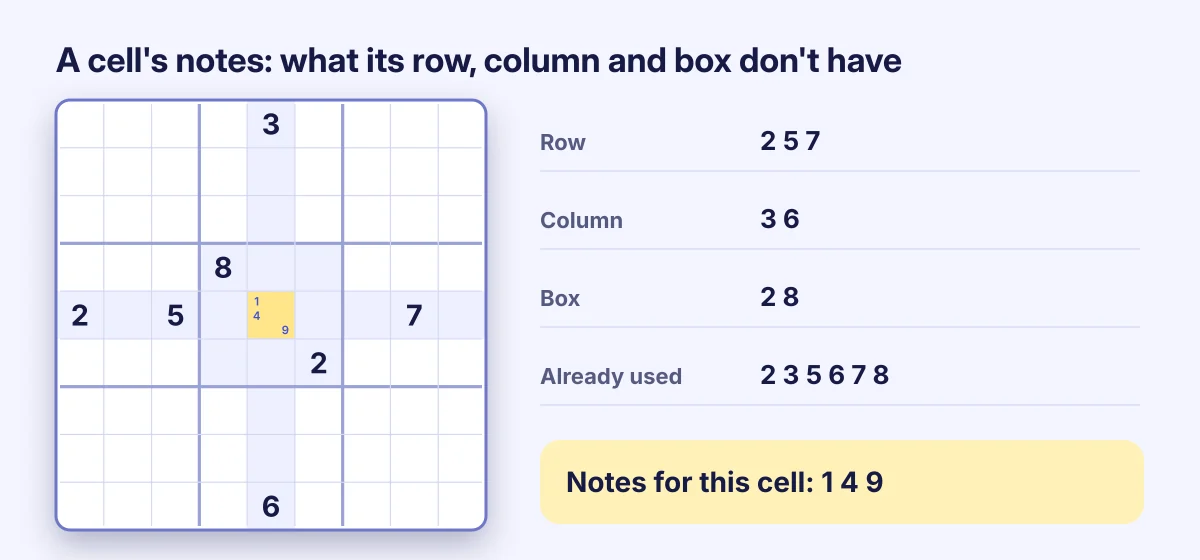
Two ways to write notes
Full notes. For each empty cell, write every digit that isn't already in its row, column or box. It takes a few minutes, but nothing is missed, and patterns like pairs become visible. This is the method to use on Hard and Expert puzzles.
Sparse notes. Only mark a digit when it's down to two or three possible cells in a box, usually in the corners of those cells. Quicker, and good for Easy and Medium puzzles, but you'll miss pairs.
Keep notes correct
Wrong notes are worse than no notes: if a real candidate is missing, you'll eventually rule out the answer and get stuck or make a mistake.
- Every time you place a digit, remove it from the notes of every cell in the same row, column and box. Sudofold does this for you when "Clear notes automatically" is on in Settings (it's on by default).
- Write candidates from what's on the grid, not from what you remember. Check the row, column and box each time.
- Fill notes in one pass for the whole grid, rather than a few cells here and there, so you can trust them.
What notes help you find
- Single candidates. A cell whose notes shrink to one digit is solved.
- A digit in one place. If a digit appears in only one cell's notes in a row, column or box, it goes there.
- Naked pairs. Two cells in a unit with the same two candidates. Remove those digits from the rest of the unit.
- Pointing pairs. A digit whose candidates in a box all sit in one row or column can be removed from that row or column outside the box.
The sudoku strategies for beginners guide explains each of these with a picture.
Notes in Sudofold
- Tap Notes so it shows On.
- Tap a cell, then the digits you want to note. Tap a digit again to remove it.
- Tap Notes again to switch back to placing digits.
Select a cell that holds a 7 and every 7 in the notes is picked out in bold, so you can see at a glance every cell where a 7 could still go. Erase clears a cell's notes, and Undo brings back notes you removed by mistake.
When not to bother
On Easy puzzles, scanning alone solves the grid; full notes just slow you down. Start with notes when you've scanned every digit once and found nothing new. That moment usually comes early on Hard and right away on Expert. See sudoku difficulty levels explained for what each level asks of you.